
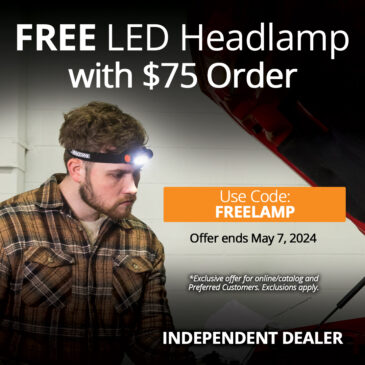
New AMSOIL Promo Rolls out Today!
I get it. You’d rather save money by doing your own oil changes and use the best oil in the world. Me too. Sometimes, it’s a little dark under your ride – and being able to see better is a … Continued

Independent AMSOIL Dealer!
That’s right. I am now (and have been for a bit) an Independent AMSOIL Dealer! I can hook you up with the BEST pricing for AMSOIL products in Canada – shipped direct to you. From DIY’ers to Retail stores, Commercial … Continued
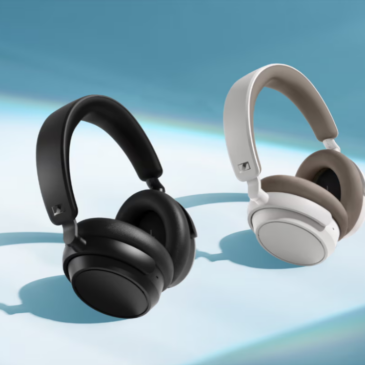
PR: Sennheiser Accentum Plus Now Shipping
“ACCENTUM Plus expands the reach of MOMENTUM 4’s most coveted conveniences, while upholding the spirit of the ACCENTUM family’s incredible value,” says Christian Ern, Sennheiser Principal Product Manager, “The Plus sits right in the sweet spot of blissful sound and … Continued
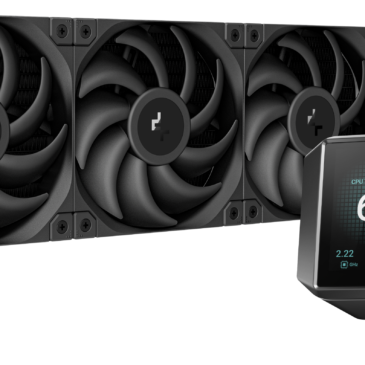
PR: DeepCool Brings the Mystique to Cooling
[California, U.S.], [February 20, 2024] – DeepCool, a leading manufacturer in PC cooling solutions, is thrilled to introduce the MYSTIQUE AIO series line of liquid coolers designed to elevate the gaming and high-performance computing experience. The MYSTIQUE AIO coolers boast … Continued

PR: TCL Shows off 115-in MiniLED Quantum Dot TV
TCL isn’t usually known for super high quality TVs, but at CES they just announced their massive 115-inch TV. This uses MiniLEDs and Quantum Dots to make it pretty special. The best thing is that this should be available on … Continued
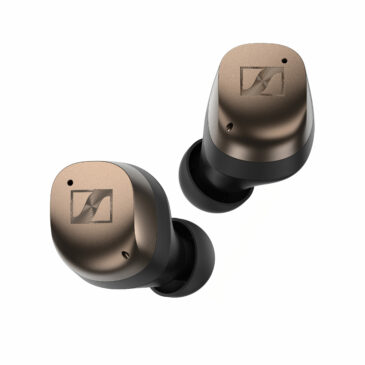
Sennheiser Triples Down at CES 2024
Las Vegas, Nevada, January 8th, 2024 – The all-new MOMENTUM True Wireless 4, ACCENTUM Plus, and MOMENTUM Sport make their debut at the Consumer Electronics Show, ushering in a new generation of feature-packed devices. The Sennheiser brand showcases premium earbuds … Continued